AI Design Tool – create brand-ready graphics fast
AI Design Tool helps you create logos, social posts, ads, and brand visuals in minutes—straight from a prompt.
Feedback

😢 Every free AI generation costs us real GPU money. We pay out of pocket to keep this free for you.
💎 Upgrade to Pro and unlock:
- ✓HD Download
- ✓No Watermark
- ✓Unlimited Generations
AI Tools
Explore AI tools
MiniMax H3
MiniMax H3 AI Video Generator
Seedance 2.5
The Future of AI Video Is Here.

Seedance 2.0
The Future of AI Video Is Here.

Veo3.1
Create Stunning Videos with Veo3.1
FLUX 3 Video Generator

Kling 3.0
Next-Gen AI Video Generator
Grok Video Generator
Create Videos from Text or Images with AI
MiniMax H3 video generator
MiniMax H3 AI Video Generator
Why choose AI Design Tool
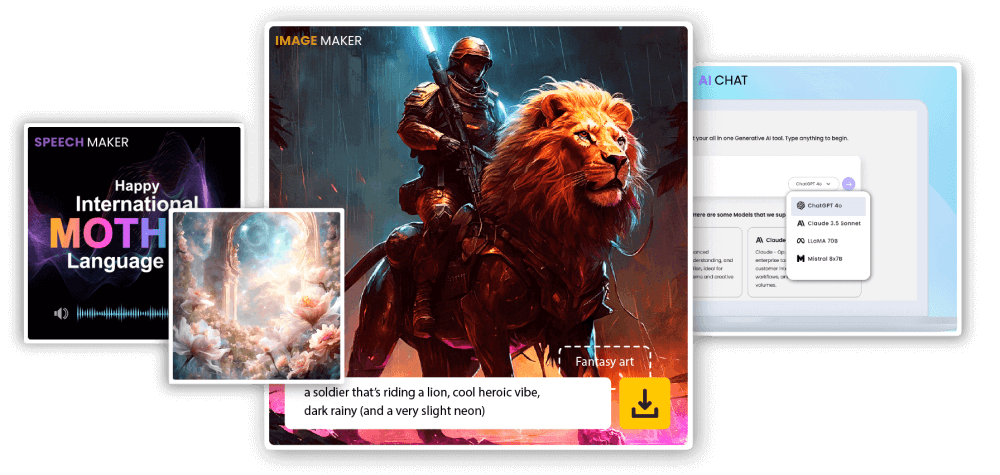
AI Design Tool turns a short brief into ready-to-use visuals for web, ads, and social.
- Smart layoutCreates clean, balanced compositions.
- Fast draftsGenerate multiple options in minutes.
- Brand-readyExport designs you can use right away.
What you can make with AI Design Tool
Create on-brand visuals faster with fewer steps.
How to use AI Design Tool
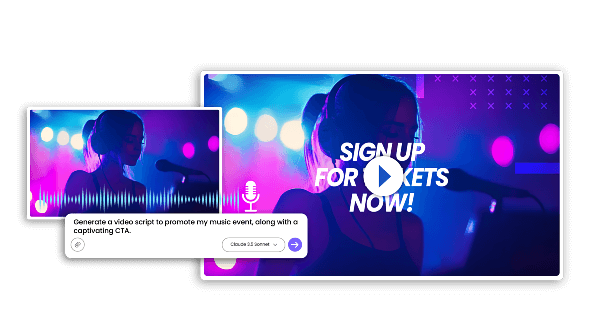
Create a design in three quick steps.
AI Design Tool features
Templates, quick edits, and fast exports for everyday design work.
Smart Templates
Start fast with clean layouts.
Easy Edits
Change text and colors quickly.
Design AI
Understands your brief and intent.
Fast Results
Generate options quickly.
Consistent Style
Keep a unified look.
Multi-Use
Reuse designs across formats and sizes.
AI Design Tool FAQs
Quick answers about AI Design Tool.
What is an AI Design Tool?
AI Design Tool helps you create design assets from a short prompt or brief.
What can I make?
Logos, social posts, banners, and brand visuals.
How fast is it?
Most results generate in minutes.
Can I download designs?
Yes—download after generation.
Can I use designs commercially?
Commercial rights depend on your plan.
Why use AI Design Tool?
It saves time and keeps your visuals consistent.
Create with AI Design Tool
Design faster with AI Design Tool. Start free.